Journal Article Transcription
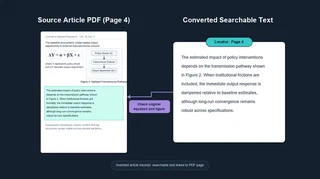 Illustration: Search converted text, then return to the source page to check it.
Finding a paper is only the start; later I need to locate the argument, method, or result inside it. Journal Article Transcription converts available article PDFs into searchable text with references back to their pages. A paper’s contents can then appear beside my research notes in a search result.
The converter reuses the same machinery as the Notes Transcription Pipeline. Clean digital text can be extracted locally; harder pages need transcription from their images. The current default prepares task cards for an agent working through my subscription, then validates submitted work before writing and indexing it. Search summaries and embeddings still use API calls, even on that transcription route.
A separate metered-API route remains available. Pending agent work stays pending unless API fallback is explicitly requested; it is not silently sent for paid transcription. Very long documents are flagged for a person’s decision rather than automatically sent to the more expensive textbook converter.
The older September 2026 trial converted and indexed three distinct papers. A fourth file was an exact duplicate, and a topic query found the relevant papers alongside the essay collection. Those results establish the earlier conversion-and-search path; they are not a new live trial of the subscription task-card workflow.
Page references make checking easier, but converted prose cannot preserve everything a figure communicates. Equations, chart labels, and extraction errors still deserve comparison with the PDF.
PDFs can come from Journal Discovery or files I add myself. Conversion registers their text with the Source Indexer; Research Notes Conversion brings Word documents into that same collection. The current README describes the task-card and API routes.
